Settings
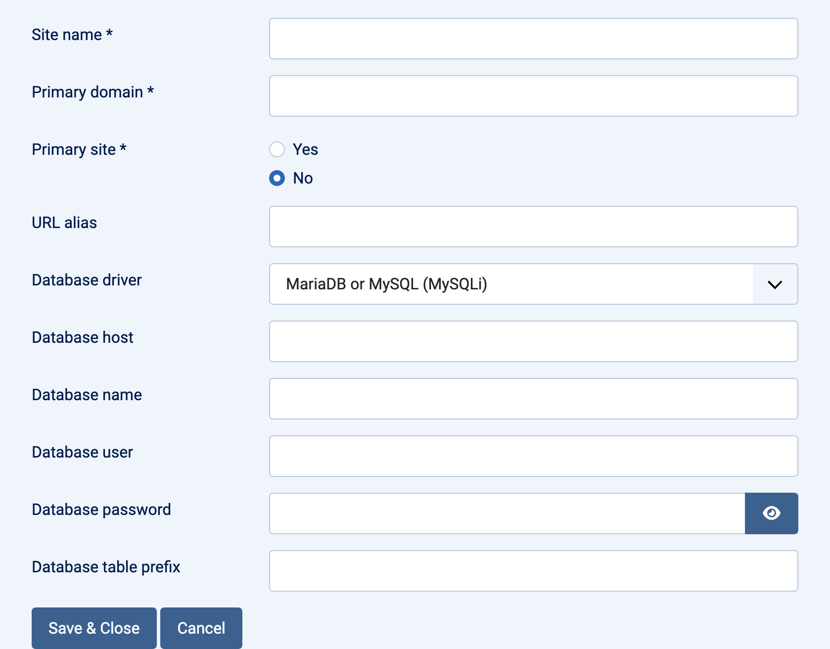
- Site name. Give the site a name that will be easy to recognize in the sites list. It is just an administrator label that can contain up to 191 characters.
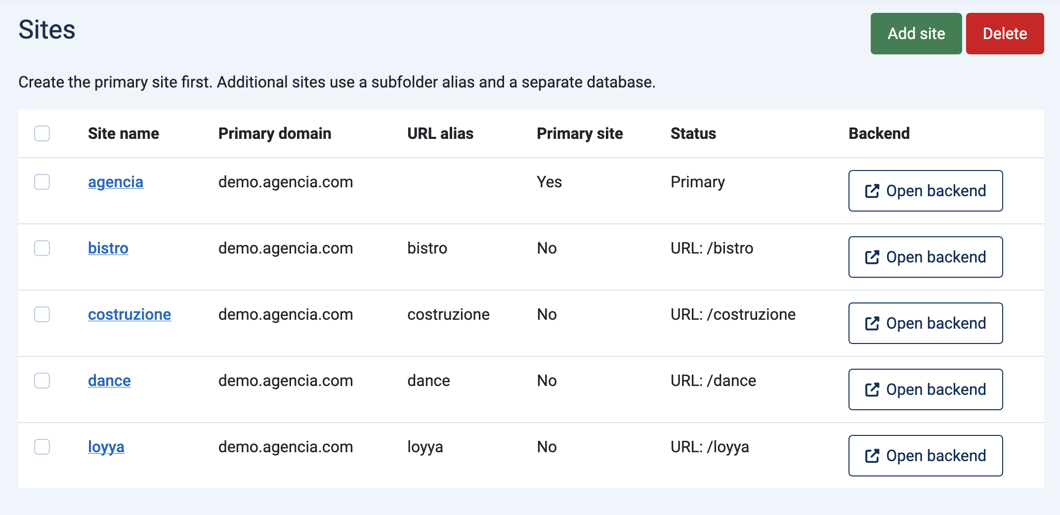
- Primary domain. For the first record, enter the hostname people use to visit the site, such as
example.com. Leave outhttps://, any port, and any path. Additional sites inherit this same hostname, so you only enter it once. - Primary site. Choose Yes for the first site you add. It continues to use the database already connected to Joomla. Choose No for every additional site. There can only be one primary site, and it cannot be demoted or deleted while the component is configured.
- URL alias. Additional sites need a unique alias, such as
news, which gives the site the addresshttps://example.com/news/. Use up to 100 lowercase letters, numbers, hyphens, or underscores, starting with a letter or number. The component converts uppercase letters to lowercase. The primary site does not use an alias.
- Driver: Choose MySQLi, the only option currently supported.
- Host, database name, and user: Enter the connection details for the database you prepared for this site. The host must be reachable from your Joomla server.
- Password: Enter the database user's password. When editing a saved site, the password is left blank for security. Leave it blank to keep the existing password, or enter a new one to change it.
- Table prefix: Enter the prefix used by the imported Joomla tables, including the trailing underscore if they have one. Letters, numbers, and underscores are accepted, up to 64 characters. A blank prefix only works if the tables really have no prefix.
Features
- Keep site content separate. Each additional site uses its own database for content, accounts, menus, and other Joomla records, while the primary site stays on Joomla's original database.
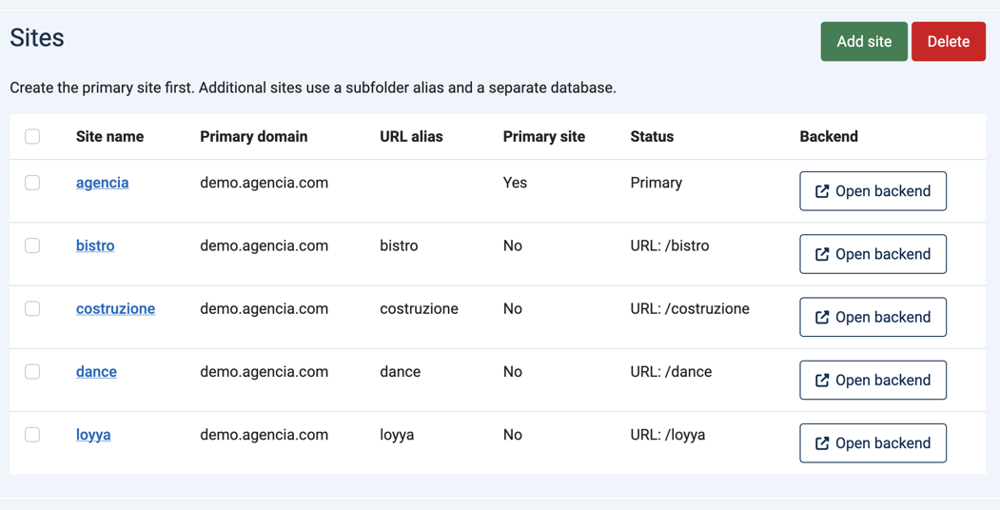
- Give each site its own easy-to-remember address. Additional sites use a short path such as
/news/under the primary domain. - Let the component set up the routing. Saving the primary site adds the Joomla bootstrap it needs. Saving site records keeps the routing map up to date and creates the alias entry points for the front end and administrator.
- Use one Joomla installation. Joomla's core files, templates, extensions, and media folders are shared. This avoids maintaining separate code installations, but a shared code or template change can affect every site.
- Keep shared resources working under an alias. The component adjusts recognized Joomla asset URLs so shared templates, images, media, and extension files can load from the common installation.
- Open the right administrator quickly. The sites list links directly to each site's backend. Each backend uses the accounts stored in that site's database.
- Repair menu links when needed. The menu synchronization action can align component IDs in an additional site's database. It does not copy menus or create missing extension records.
- Protect important actions. Joomla permissions and form-token checks guard management actions. The component also prevents a second primary site and protects the primary record from deletion.
- Remove a site without deleting its data. Deleting an additional site removes its routing record and managed entry points, but leaves its database and shared media alone.
Keep database details private. The connection details you enter are saved by the component and used to build its routing map. Only trusted administrators should have access to the site records, server files, and backups.