VirtueMart Wall
A configurable Joomla module for presenting VirtueMart products in a flexible, responsive product wall.
What it does
Curated product sources
Show featured, discontinued, latest, random, best-selling, or recently viewed products.
Flexible layouts
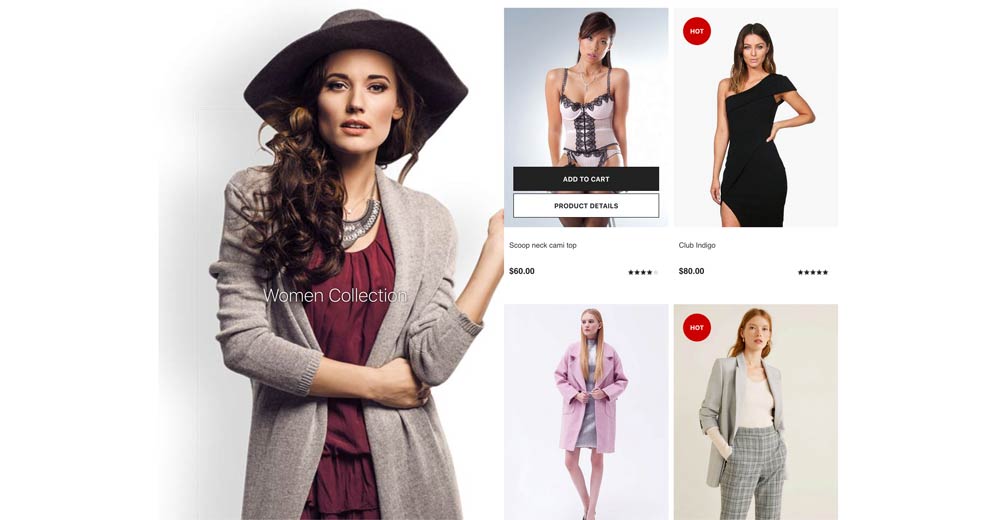
Use the standard grid or the style 6 masonry wall with custom item sizes and animated image layout.
Store-ready actions
Display product images, names, prices, ratings, add-to-cart controls, and product detail links.
Targeted filtering
Limit products by one or more VirtueMart categories and by manufacturer when needed.
Category presentation
In the standard layout, show a linked category area with adjustable category and product column widths.
Performance controls
Cache product results for a configurable time and omit products already loaded elsewhere on the page.
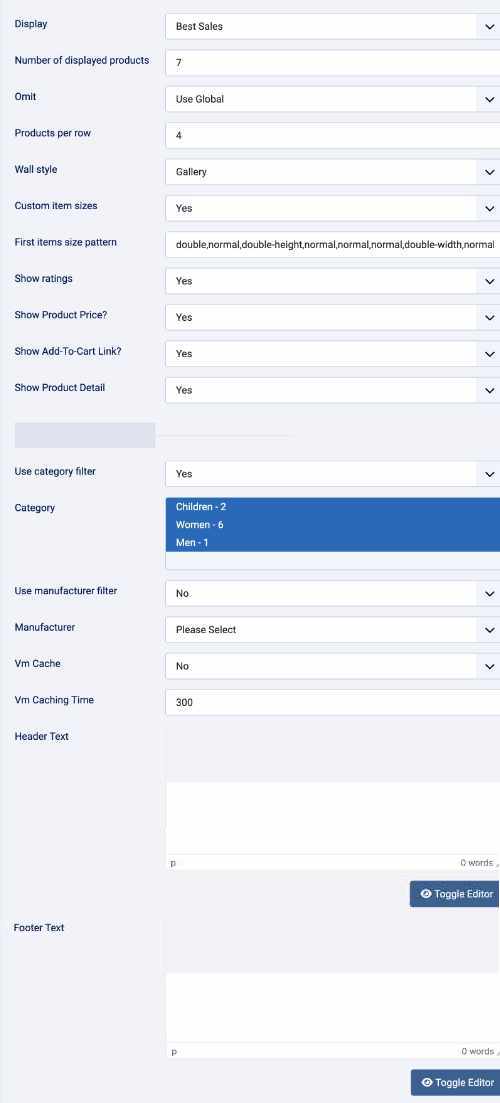
Virtuemart settings
- Display (Featured Products, Discontinued Products, Latest Products, Random Products, Best Sales, Recently Viewed )
- Number of displayed products
- Products per row
- Show Product Price? ( Yes / No )
- Show Add-To-Cart Link? ( Yes / No )
- Show Product Detail ( Yes / No )
- Use category filter ( Yes / No )
- Category Name
- Use manufacturer filter ( Yes / No )
- Manufacturer name
- Cache ( Yes / No )
- Header Text
- Bottom Text
Wall Settings
- Category area width100%,80%,75%,70%,60%,50%,40%,30%,25%,20%
- Product area width100%,80%,75%,70%,60%,50%,40%,30%,25%,20%
- Show Link Category ( Yes / No )
- Category Name
- Category link
- Background Category image
- Align Category - Left or right
- Fix column width if issues ( Yes/No )
Wall Style
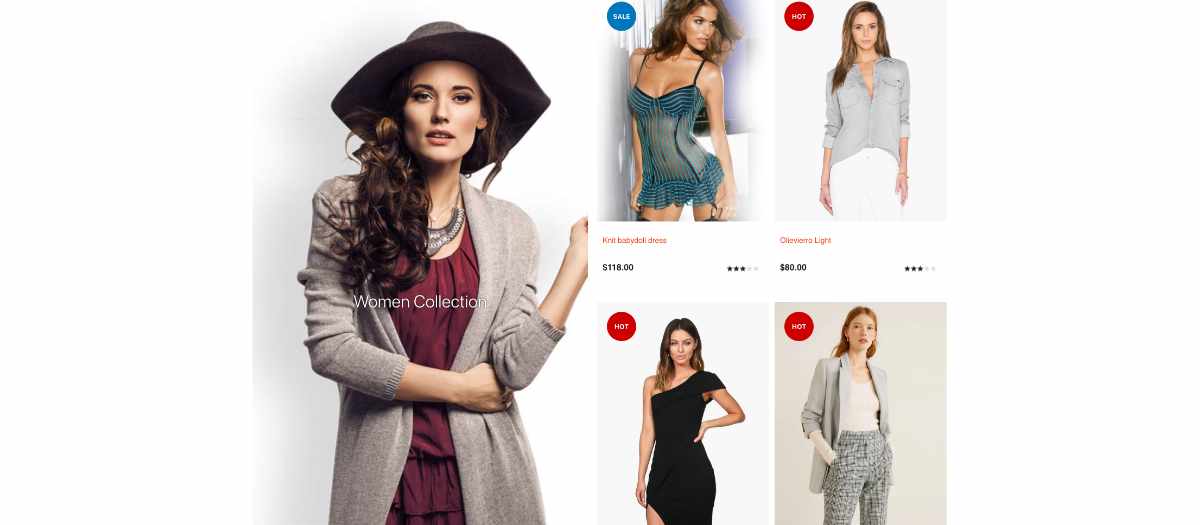
A familiar row-based product grid. Each item keeps a square product image, followed by the product name, price, rating, and actions.
Best for catalog pages where visitors need a consistent scan across many products.
Gallery Style
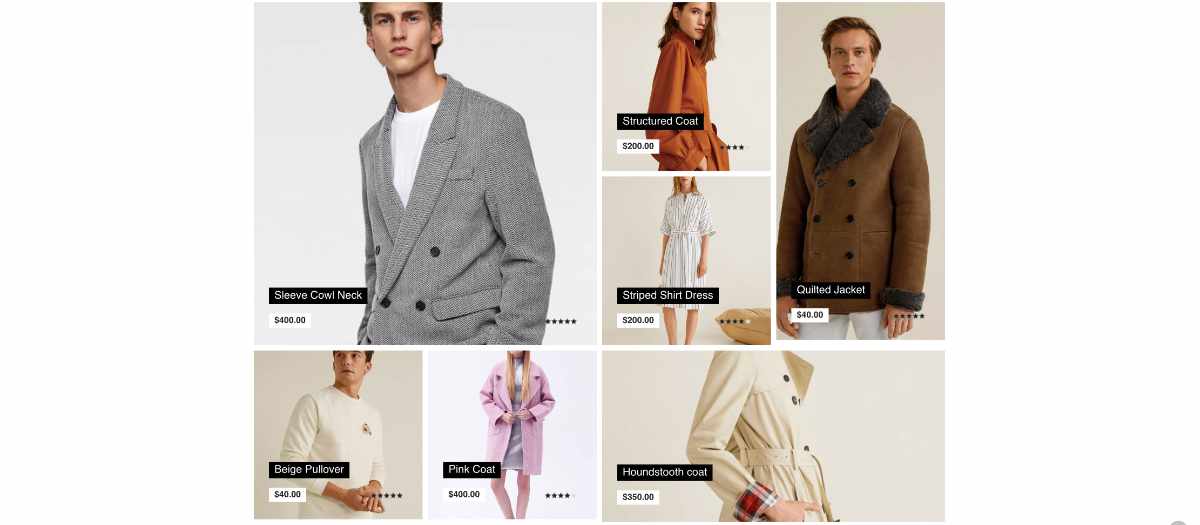
An image-led masonry wall powered by Isotope and ImagesLoaded. Product actions remain available over the image, while name and price information sits over the lower part of the tile.
Best for featured collections, visual merchandising, and editorial storefront sections.
Gallery item sizes
| Pattern value | Result |
|---|---|
normal |
One standard tile: one column wide and one row high. |
double |
Two columns wide and two rows high, creating a larger square feature tile. |
double-width |
Two columns wide and one row high, creating a horizontal feature tile. |
double-height |
One column wide and two rows high, creating a vertical feature tile. |
Pattern example: Set first_items_size_pattern to double,normal,double-height,normal. The first product becomes a large square, the second stays normal, the third becomes vertical, and the remaining products use normal tiles.
Use Products per row to define the base grid. Style 6 calculates every tile from that value and rearranges the wall after images load. On narrow screens, the layout becomes one column so oversized tiles return to a single-column presentation.