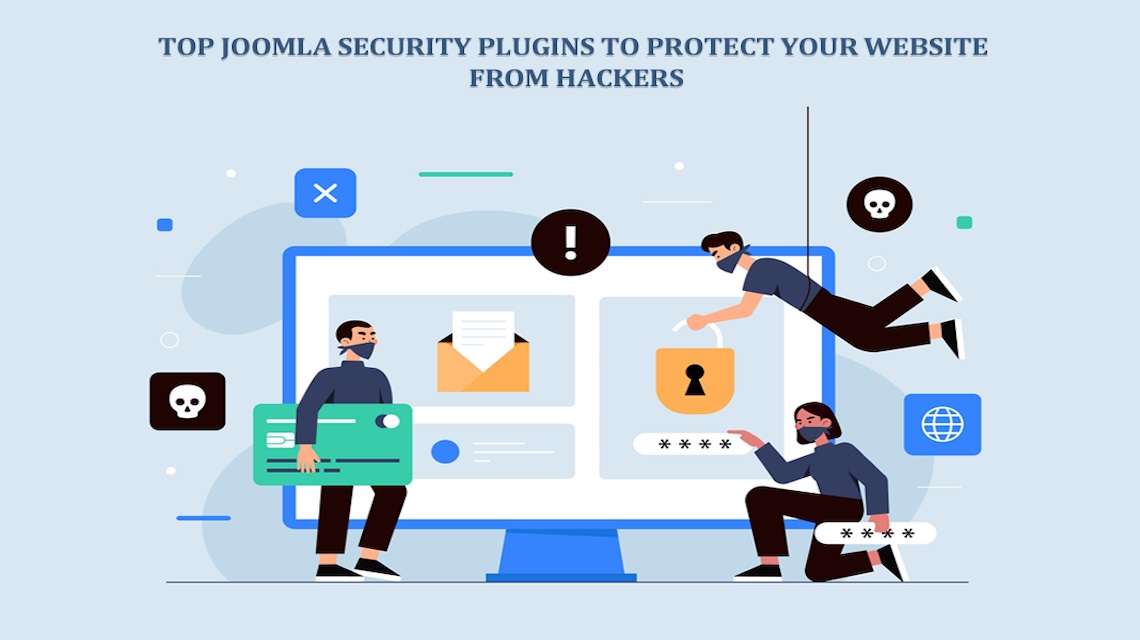
Are you sure your Joomla website is truly safe? You think your website is safe. Small business, simple blog, nothing worth stealing. That’s what most people believe. Until it happens.
One day, your Joomla site’s homepage is gone. Replaced by weird code or a message you don’t understand. Feels like a nightmare. But it’s real.
Hackers don’t care who you are. They look for weak spots. Outdated plugins. Bad passwords. Tiny cracks they can crawl through. And that’s where security plugins come in. They’re not fancy add-ons. They’re your walls, your guards, your alarm system.
This isn’t just another list. It’s a story about defence. About the tools that quietly protect your site while you sleep. So, let’s meet the heroes.
Why Website Security Should Be Your Top Priority
Let’s be real. The internet’s a wild place. Every second, someone somewhere gets hacked. Sites vanish. Data leaks. Reputation destroyed. Your Joomla site? It’s not invisible. It’s a target like the rest. Hackers use bots to crawl through millions of websites, sniffing out easy victims.
A missing update. A weak admin password. That’s all it takes. Security plugins act like digital shields. They scan files, block bad traffic, and warn you before something explodes. Without them, you’re walking in the dark barefoot. You wouldn’t leave your shop unlocked overnight. Why leave your site exposed?
1. Admin Tools by Akeeba
First up, Admin Tools. Built by Akeeba. A name every Joomla user should know. This plugin’s a beast. It’s got everything: firewall, file permission control, database cleanup, and even a feature to rename your admin URL.
Imagine a guard who not only locks the doors but cleans the floors too. That’s Admin Tools. It doesn’t just protect. It optimizes. One click, and it can block entire ranges of IPs. It fights brute-force attacks before they even begin.
The best part? It updates fast. Whenever new threats appear, Akeeba’s already got a patch. It’s like having a security team working 24/7, minus the salary.
2. RSFirewall!
Then comes RSFirewall! From RSJoomla. A tough name for a tougher tool. It’s like that overprotective friend who checks every lock twice—constantly scanning your Joomla setup for cracks. Weak passwords? It finds them. Outdated extensions? It screams at you.
There’s a thing called “Active Scanner.” It watches for real-time attacks and blocks them on the spot. You get reports too—detailed ones. So, you know exactly what’s going on behind the curtain. And the best part, it doesn’t slow your site. Protection, without the drag. Simple, strong, silent.
3. jHackGuard
Now here’s jHackGuard. Straightforward. Old-school. Reliable. Made by SiteGround back in the day. It’s still one of the easiest tools to use. No fluff. No drama.
It guards against SQL injections, XSS, and remote file exploits. The big three in the hacker’s toolkit. You install it, tweak a few settings, and boom—you’re covered. Lightweight. Quick. Doesn’t hog resources.
Even though SiteGround doesn’t update it often, people still swear by it, like an old lock that won’t break.
4. jSecure Authentication
Ever heard of hiding your door instead of locking it? That’s jSecure Authentication. This clever plugin hides your admin login page behind a secret key. Without the right URL, hackers can’t even find it.
Think of it like having a hidden doorway to your digital castle. Only you know where it is. You can also enable extra layers of IP restrictions, key-based logins, and logging attempts. It records every try, every fail. It’s simple. Sneaky. And brilliant. Because if they can’t find the door, they can’t break in.
5. Akeeba Backup
Some folks say backup isn’t part of security. They’re wrong. Dead wrong. When disaster strikes, Akeeba Backup saves your soul.
This plugin backs up everything files, databases, and settings. You can store copies in the cloud, on Dropbox, Google Drive, or wherever you want. Let’s say your site gets hacked. Or you install a bad extension. No panic. Just hit restore, and everything’s back like magic.
Akeeba’s smart, too. You can schedule automatic backups so you never forget. It’s not just software, it’s peace of mind wrapped in code.
6. SecurityCheck Pro
Want one tool that does it all? SecurityCheck Pro. It’s like a digital fortress. Firewall, malware scanner, and file integrity monitor all packed into one neat dashboard.
It keeps track of every file change. Warns you instantly when something smells fishy. Even checks your Joomla setup for misconfigurations. The best bit? The reports. You can see exactly what’s happening. Who tried to hack you? When. From where.
You can also block countries, IPs, or even whole regions. Total control. Serious protection. When it says “Pro,” it means it.
7. jDefender
jDefender doesn’t just sound tough, it is. It scans your website for malware, hidden scripts, and unauthorized changes. You can schedule automatic scans or run them manually when you want peace of mind.
Its interface? Clean. Simple. Even non-techies can use it. It doesn’t just detect issues. It explains them in plain words. No geek dictionary needed.
jDefender works smoothly with most Joomla versions. So, whether your site’s new or ancient, this plugin’s got your back.
8. Brute Force Stop
Brute-force attacks are brutal. Repeated login attempts. Over and over. Thousands in seconds. Brute Force Stop says, “Not today.”
It locks users out after too many failed attempts. You can set the limit yourself. It sends alerts, too. When someone tries too hard to guess your password, you’ll know.
It’s tiny. Lightweight. And brutally effective. Perfect for people who hate overcomplicated settings. Simple plugin, huge impact.
9. Eyesite
Ever wonder what’s happening behind your website’s curtain? Eyesite knows. It watches your Joomla files. Every change, every modification tells you. Hackers try to sneak in quietly. Eyesite doesn’t let them.
If a single file changes, you get an alert. Fast. It’s like having a security camera inside your site. Nothing slips through. For admins who love control, this one’s pure gold. Silent, sharp, and always awake.
10. AdminExile
Another clever trick in the book AdminExile. It hides your admin panel behind a secret key. Without the key, the login page won’t even load. You can even restrict access by country or IP range. Think of it as a digital invisibility cloak.
It doesn’t mess with your site speed or break other plugins. It just sits there, invisible but alert. Sometimes, the best defense is being unseen.
11. jSecure Lite
Not everyone needs a full-blown fortress. jSecure Lite is for the minimalists. It hides your login page, adds password protection, and logs every attempt. You install it, set a key, and that’s it. Done.
Lightweight. Reliable. Especially for smaller sites or beginners who want simple protection without digging into settings. Because sometimes less really is more.
12. OSE Anti-Hacker
OSE Anti-Hacker is for the paranoid ones. The good kind of paranoid. It blocks advanced threats like SQL injection and cross-site scripting. Real, dangerous stuff. It logs every attack attempt so you can see how often your site is targeted.
You’d be surprised how busy hackers can be. It’s smooth too, integrates right into Joomla’s backend without causing chaos. If you’re serious about defense, this one’s a warrior.
13. KeyCAPTCHA
Bots are annoying. Spammy. Persistent. That’s why KeyCAPTCHA exists. It adds small human puzzles before logins, comments, or forms can be submitted. Bots can’t solve them, but humans can in seconds.
It’s interactive too. Feels more natural than those unreadable letters you usually see. This little plugin stops spam before it begins. It’s a small lock, but a strong one.
How to Choose the Right Joomla Security Plugin
So, how do you pick one? There’s no “one-size-fits-all.” If your site’s simple, you don’t need a huge firewall. Go for AdminExile or jSecure. But if you run an e-commerce store with customer data, you need heavy-duty protection. Think RSFirewall! or SecurityCheck Pro.
Check compatibility, too. Some plugins work better on certain Joomla versions or hosting setups. And, please, update regularly. Outdated security tools can become security holes. Happens all the time.
Combining Plugins for Layered Protection
Here’s the truth: no single plugin can handle it all. That’s why smart admins use layers like armor. Use Admin Tools for the firewall. Akeeba for backups. Eyesite for monitoring. Together, they form a powerful team.
But don’t go overboard. Too many plugins can clash, slowing your site or causing errors. Balance is key. Protection and performance should go hand in hand.
Security Beyond Plugins
Let’s step outside plugins for a minute because true security starts with you. Update everything: Joomla core, extensions, and themes. Don’t postpone it. Use strong passwords. No “admin123.” Please. Give admin rights only to people who really need them. The fewer, the safer.
And choose a good host. A bad server can undo all your hard work. Get one that offers firewalls, malware scans, and SSL.
Oh, and if your site shows WooCommerce Product Video demos or interactive content, be extra careful. Videos and embedded media can hide risks. Always check the source, keep everything updated, and monitor activity. Security isn’t just tech. It’s a habit. It’s awareness.
Common Signs Your Joomla Site Might Be Hacked
Sometimes, you won’t know right away. Hackers are sneaky.
Watch for red flags:
- Your site suddenly slows down.
- Weird pop-ups appear.
- Strange users in your admin list.
- Files you didn’t upload.
- Google starts warning visitors.
If any of that happens—act fast. Scan with your security plugin. Change passwords. Restore from Akeeba Backup. Don’t wait—time matters.
Conclusion
Your Joomla website is your space. Your brand. Your story. Don’t let someone else rewrite it. Security plugins aren’t just tools. They’re shields. They stand between your website and chaos.
From RSFirewall! to Akeeba Backup, these plugins guard your data, block intruders, and help you recover when things go south.
Hackers never stop evolving. Neither should you. Keep learning. Keep updating. Stay alert because a safe site isn’t luck. It’s preparation. And it’s worth every second. Protect it. Nurture it. Keep it yours. Always.